URL list
URL list are manually curated list of URLs to publicly accessible files or content. These can be a useful technique to ingest content that is not otherwise directly available via your public facing website's sitemap files.
-
To onboard a URL list, go to the sources page by
`Home > Sources`, where you can see the`Add source`button on the top-right.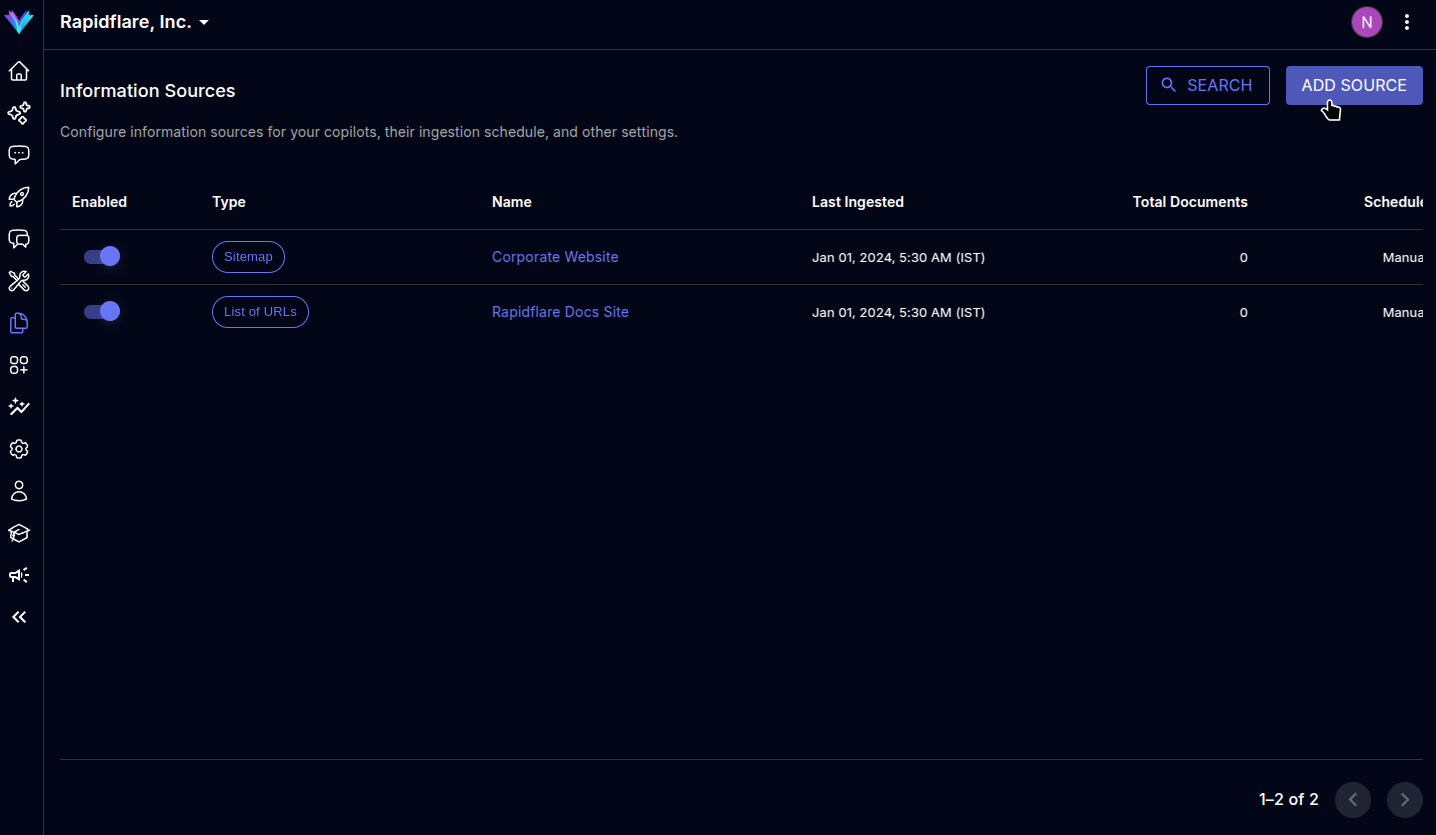
-
The modal prompts to select the type of source to ingest, select
`URL list`to move to next screen.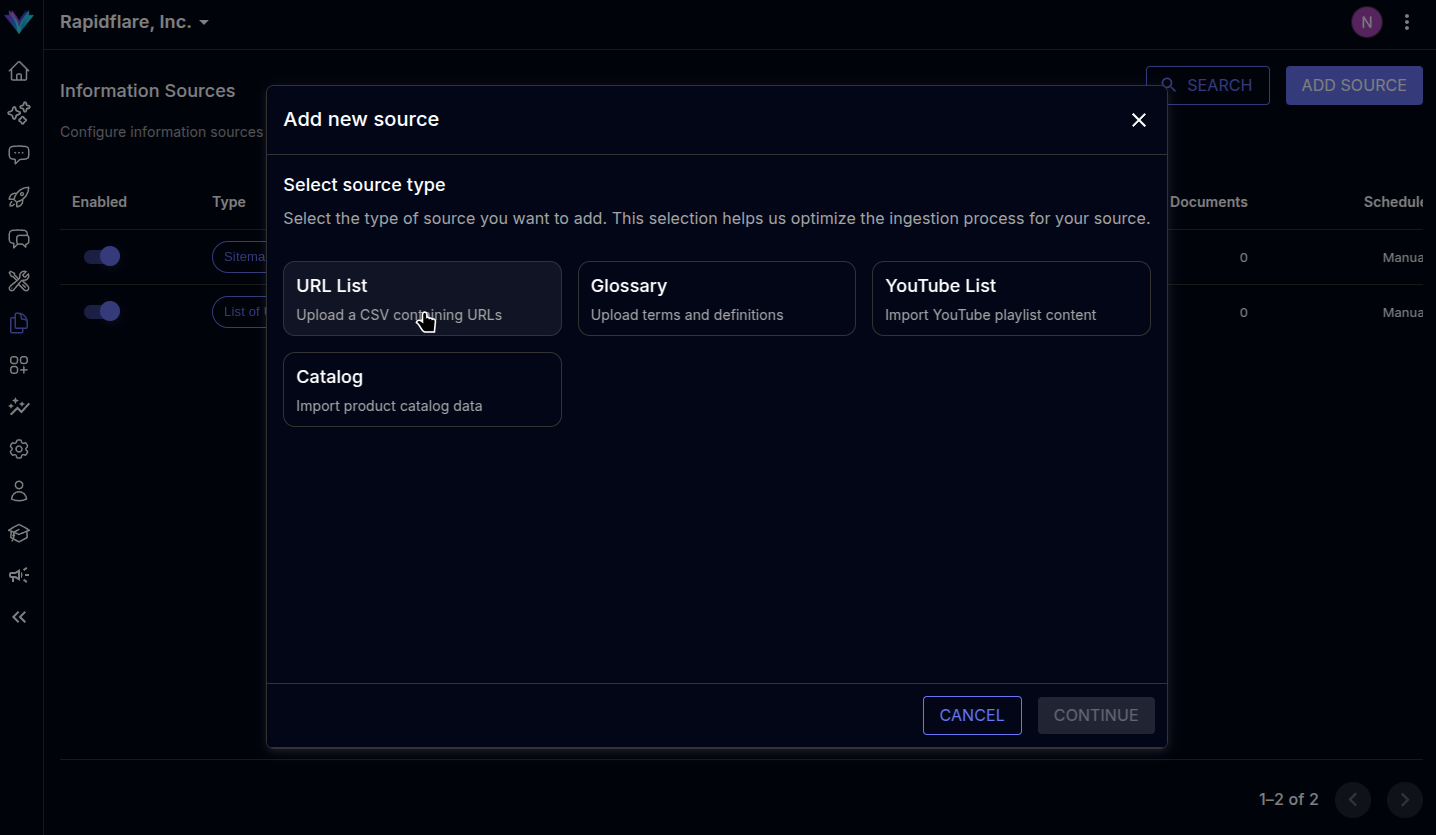
-
You can choose to upload your URLs via a CSV file in the specified format or manually paste in the list of URLs in the text box provided. You can also use both features simultaneously.

-
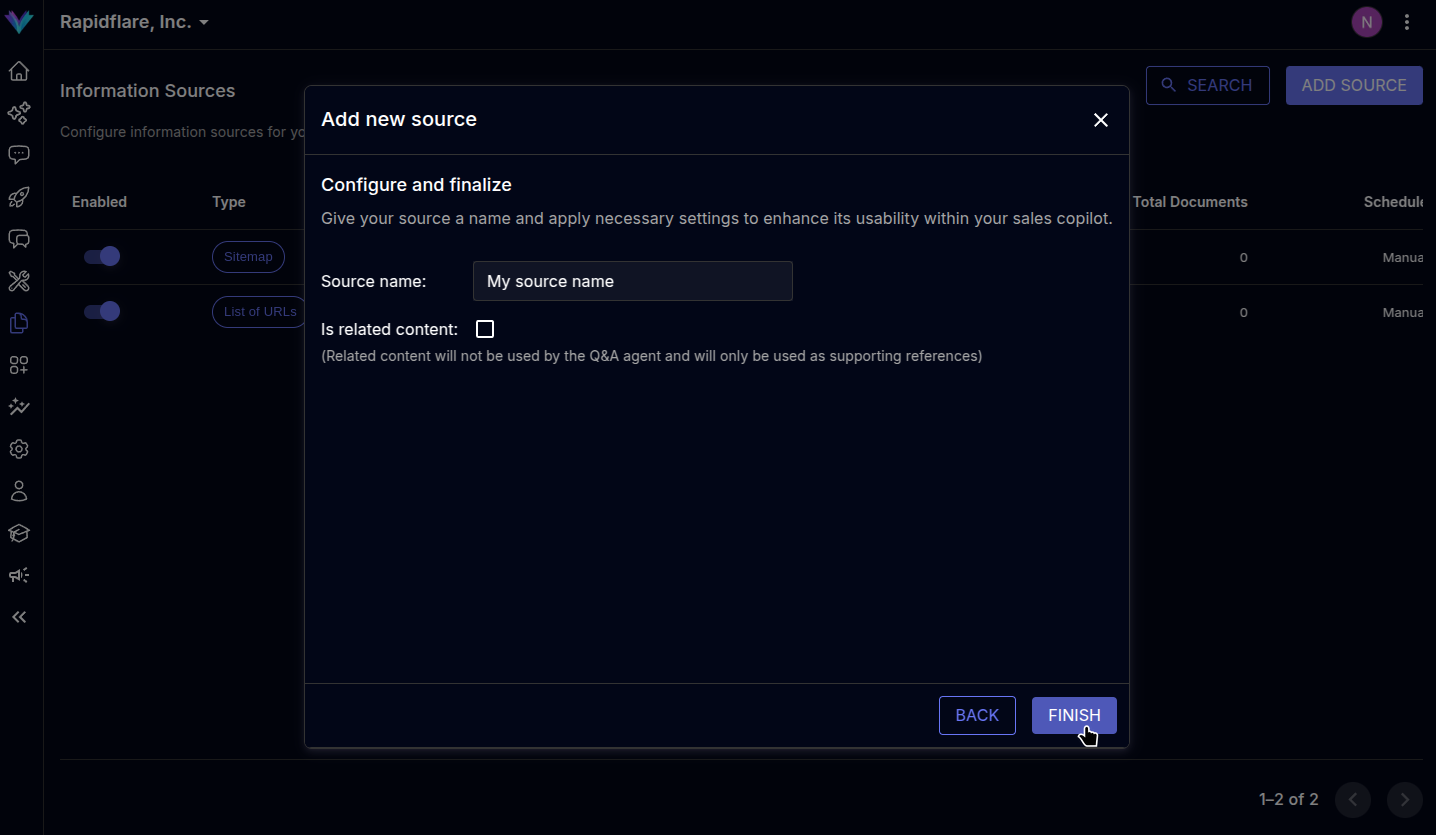
Specify a descriptive name for the source. You can optionally mark the source's contents as
`Related content`. When marked so, the agent can also present the contents as related material when answering questions, helping your users learn adjacent topics and expand their understanding. -
Click on
`Finish`to complete the process, page will be refreshed and the newly added source will be visible in the sources list.