Glossary
A glossary contains a list of terms and their definitions related to your enterprise, it's products and is a way of describing the commonly used vocabulary to us. This helps our agent to handle topics that involve technical language or unfamiliar concepts and enhances the accuracy and relevance of responses.
To facilitate ingesting glossary information, we have a spreadsheet template where you can define your enterprise's terms and provide essential information about each one, such as its definitions, synonyms, related to terms.
-
To onboard a Glossary, go to the sources page by
`Home > Sources`, where you can see the`Add source`button on the top-right.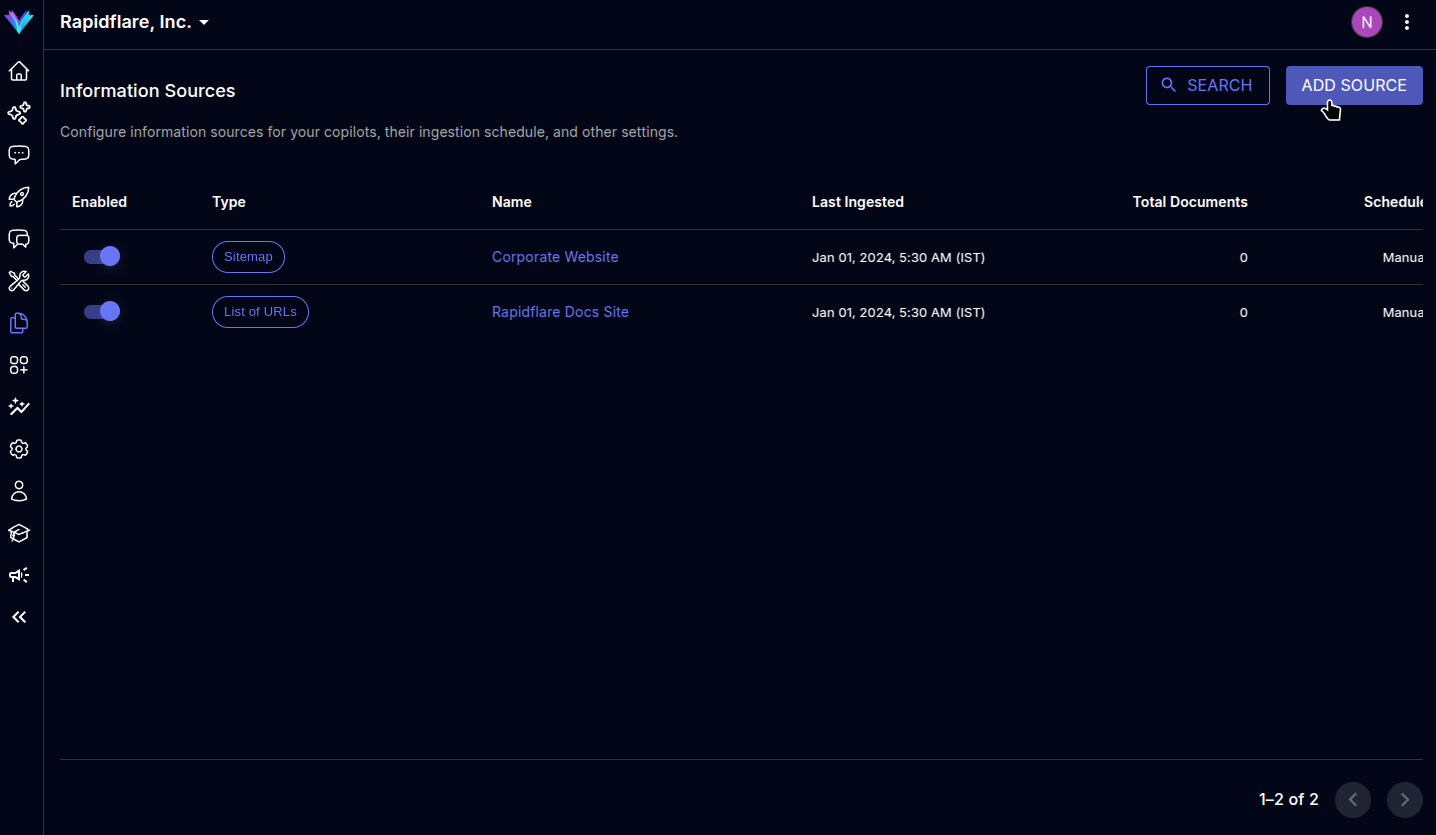
-
The modal prompts to select the type of source to ingest, select
`Glossary`to move to next screen.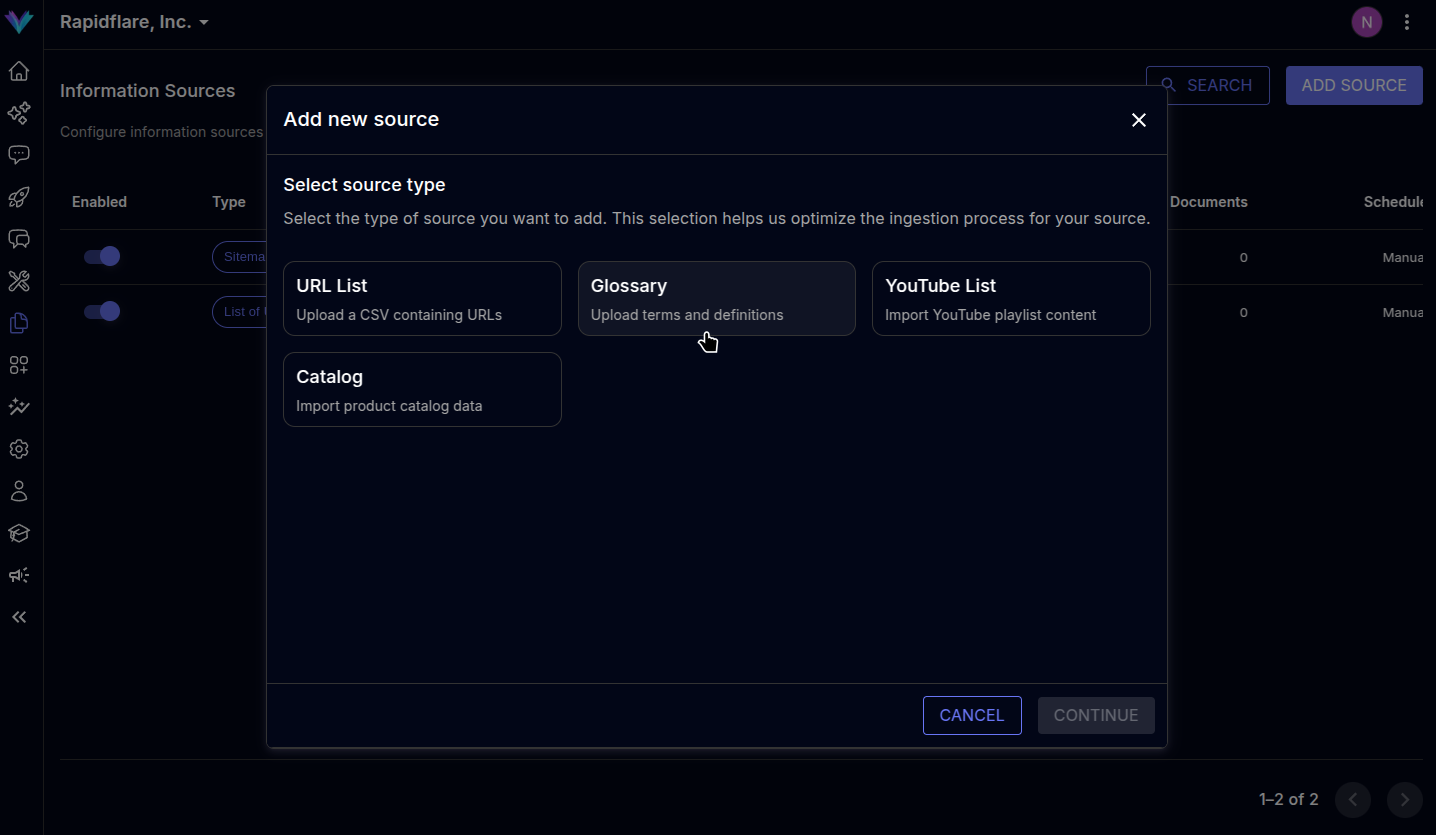
-
Enter the publicly available Google Sheets URL and names of sheets containing terms and definitions and hit next. Note: The google sheet must contain rows and columns in a specific format. Click here to view the format.

-
Specify a descriptive name for the source. You can optionally mark the source's contents as
`Related content`. When marked so, the agent can also present the contents as related material when answering questions, helping your users learn adjacent topics and expand their understanding. -
Click on
`Finish`to complete the process, page will be refreshed and the newly added source will be visible in the sources list.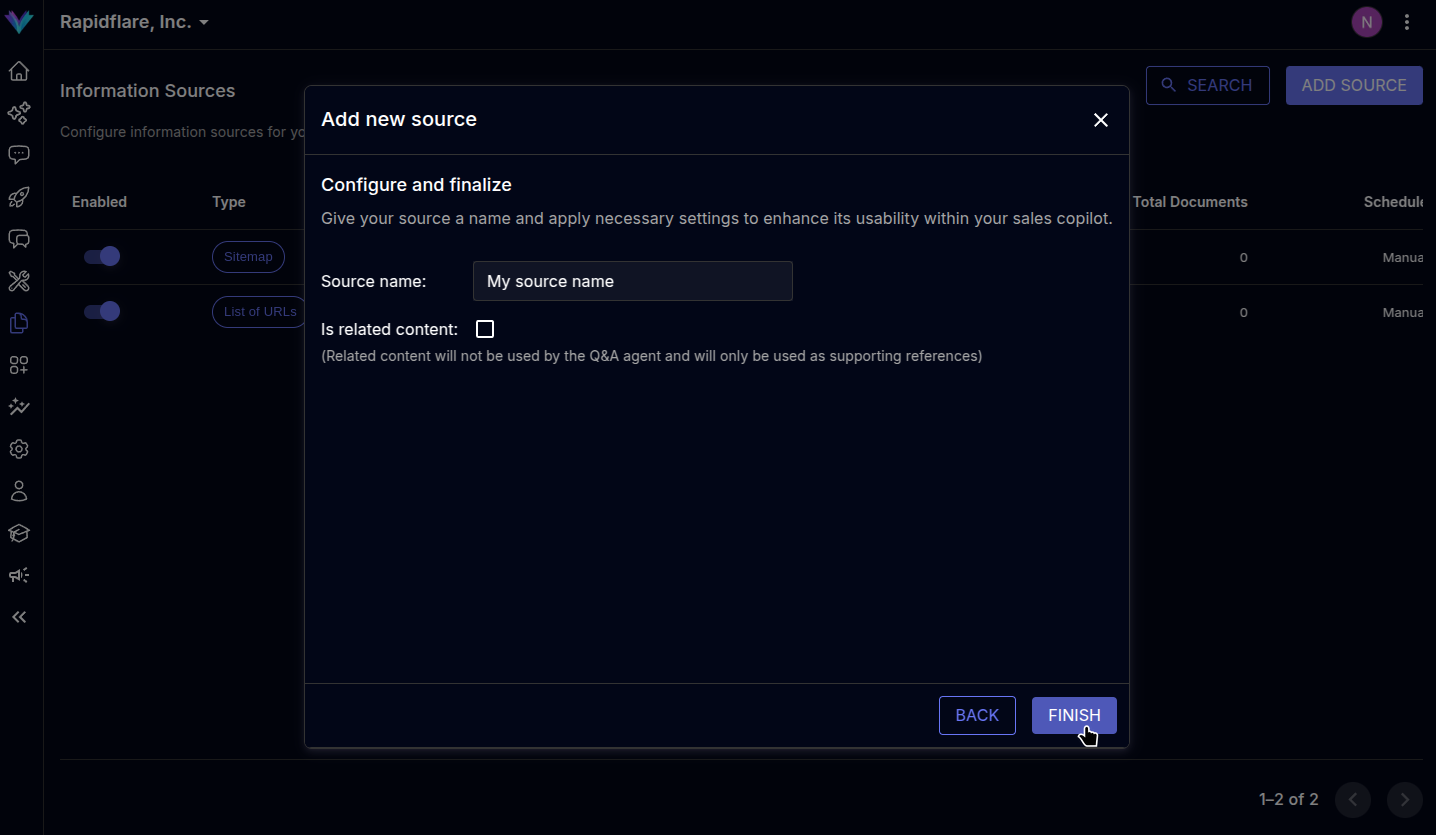
Previous
URL List