YouTube playlists
YouTube playlists are collection of videos grouped together under a specific theme or topic. Playlists are great for curating content that covers a range of related topics, that can improve Rapidflare's ability to provide adjacent visual information on a particular subject. To learn more about Youtube playlists and how to create one, click here.
-
To onboard a Youtube playlist, go to the sources page by
`Home > Sources`, where you can see the`Add source`button on the top-right.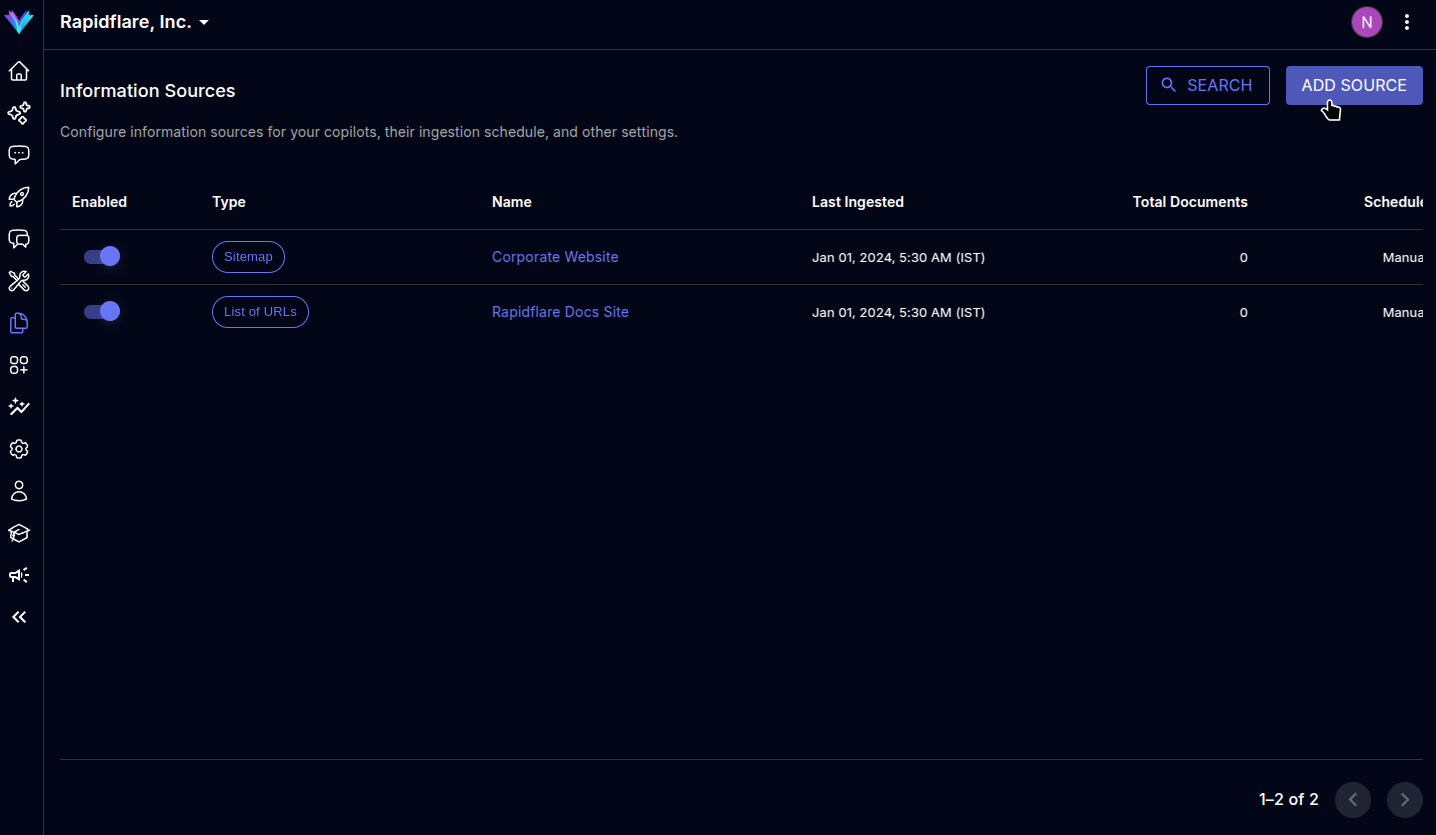
-
The modal prompts to select the type of source to ingest, select
`Youtube playlist`to move to next screen.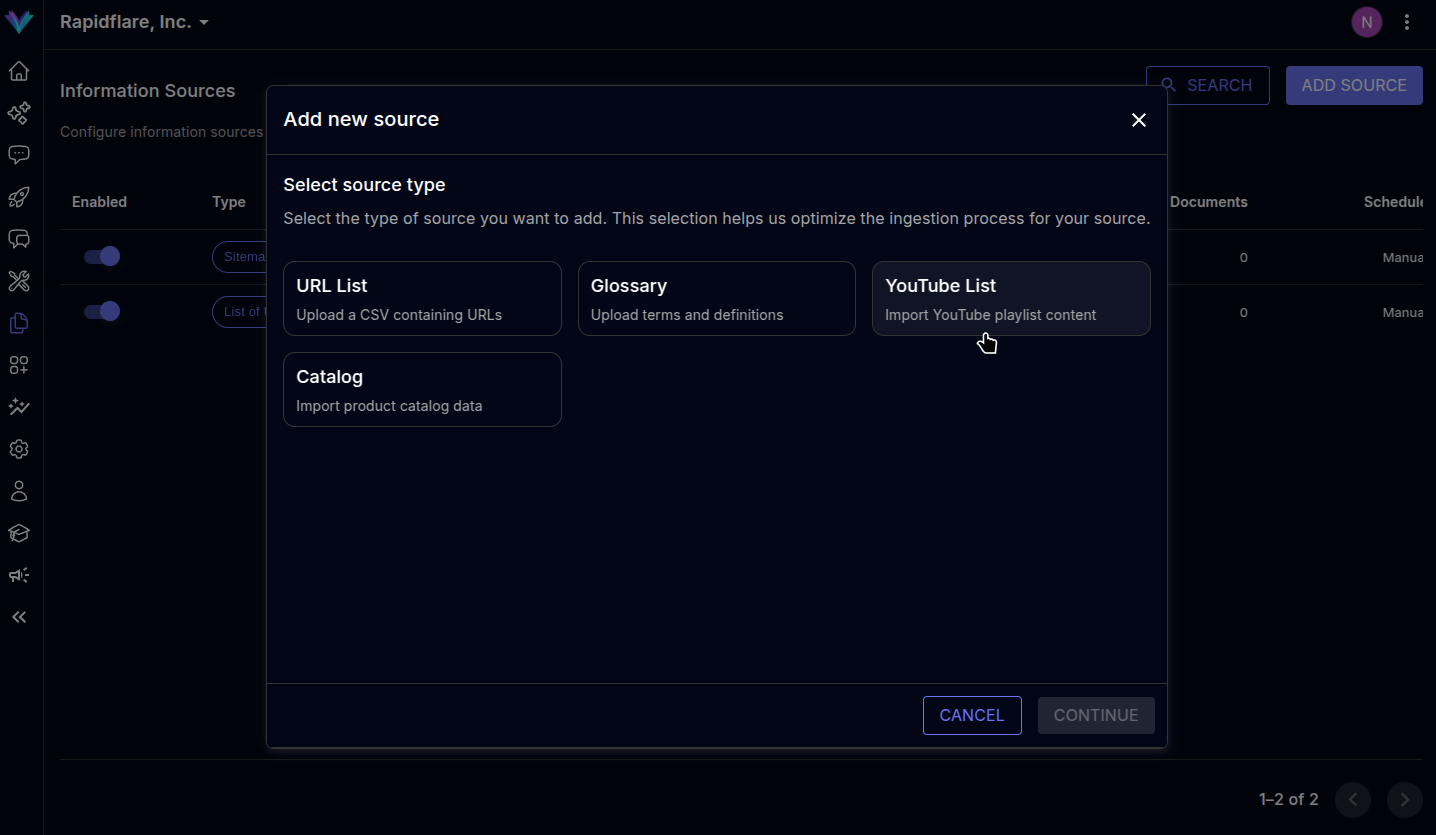
-
You can choose to upload a list of playlist URLs via a CSV file in the specified format or manually paste in the list of URLs in the text box provided. You can also use both features simultaneously.
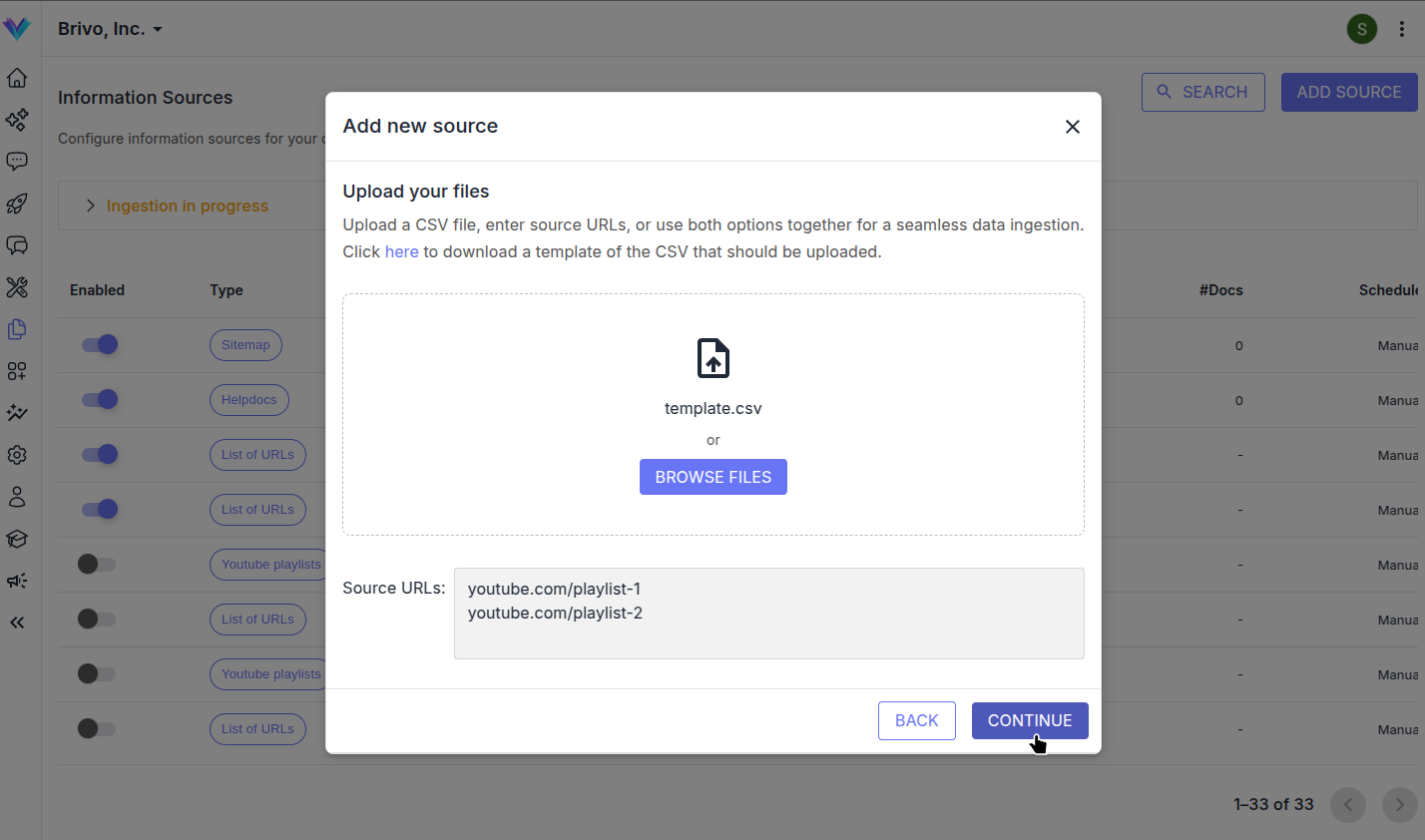
-
Specify a descriptive name for the source. You can optionally mark the source's contents as
`Related content`. When marked so, the agent can also present the contents as related material when answering questions, helping your users learn adjacent topics and expand their understanding. -
Click on
`Finish`to complete the process, page will be refreshed and the newly added source will be visible in the sources list.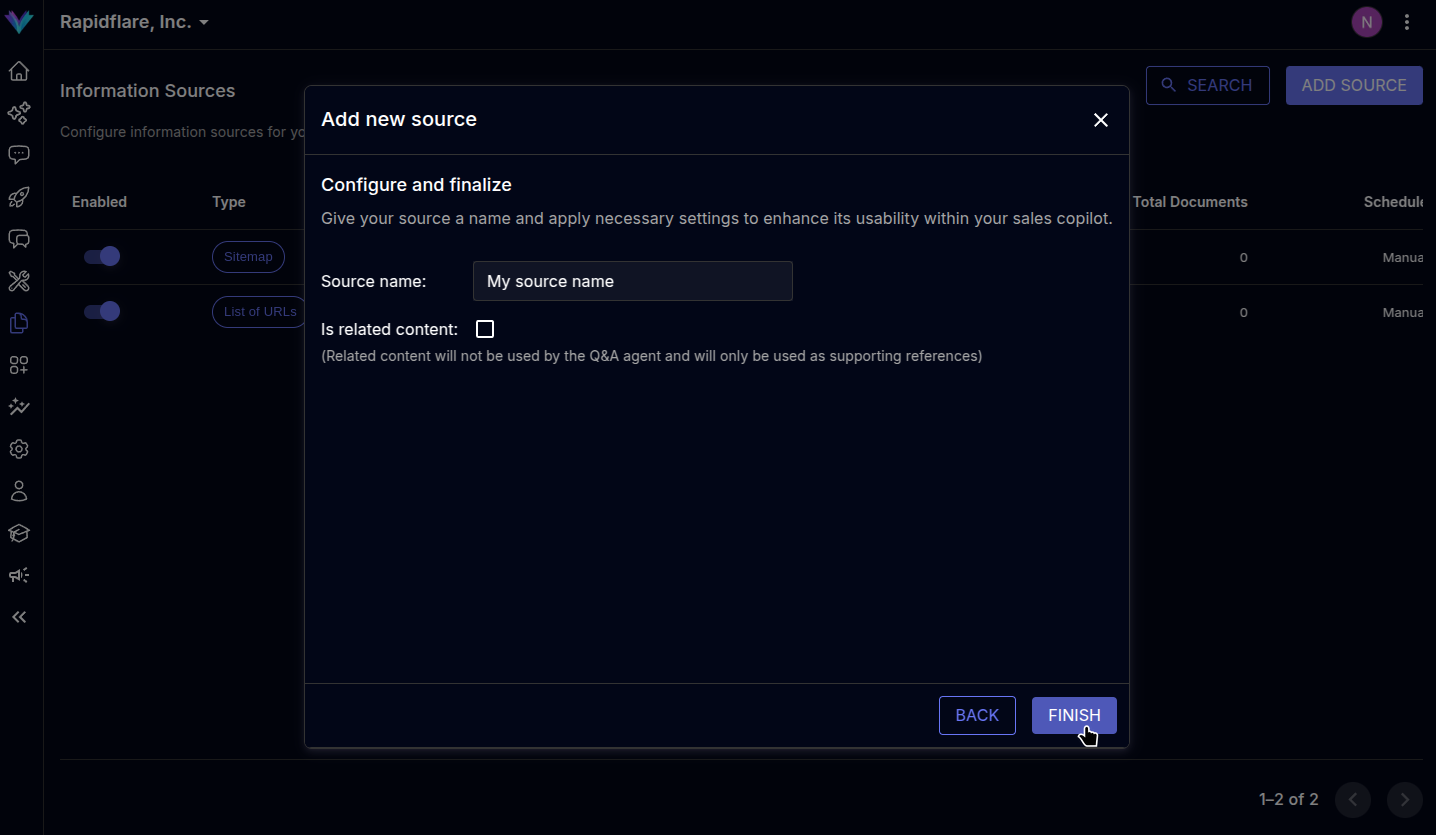
Previous
Glossary
Next
Product Catalog